
Microsoft Passkeys 2026: What the SMS and Voice MFA Retirement Means for Businesses
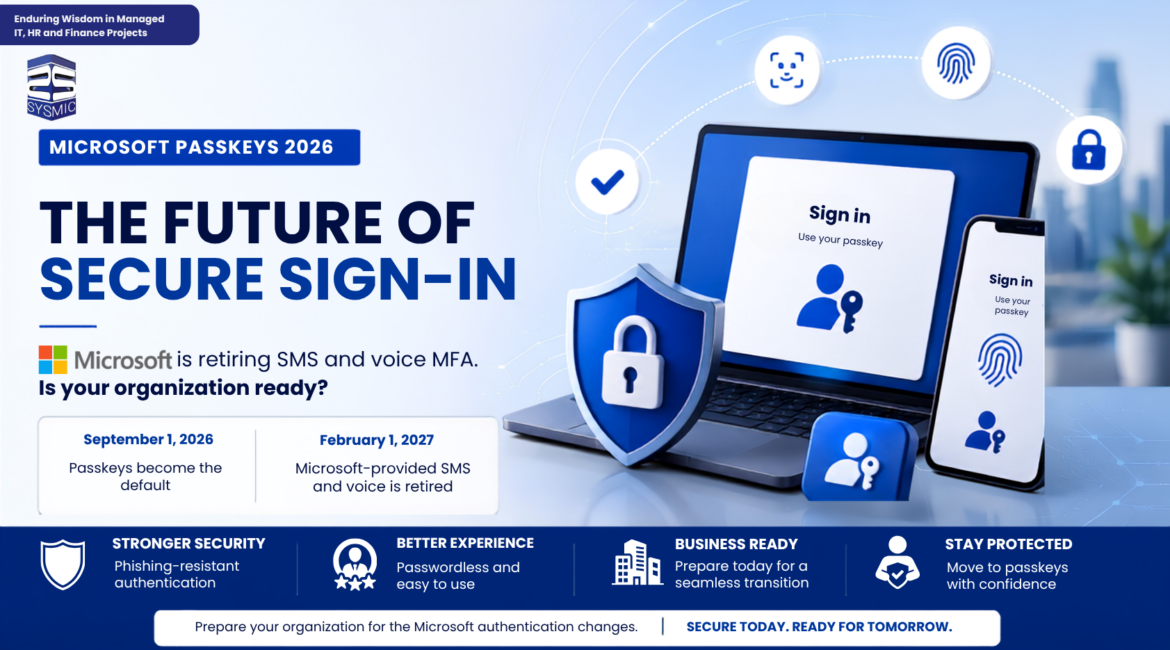
Microsoft is making a big change to authentication in Microsoft Entra ID . Beginning September 1, 2026, users who are enabled for SMS or voice authentication will receive passkeys as their default authentication experience. SMS and voice authentication from Microsoft will be retired on February 1, 2027.
This is a big deal for organisations that use Microsoft 365 and Microsoft Entra ID because it may impact how workers complete multi-factor authentication (MFA) and sign into their accounts.
Microsoft is urging organisations to move away from authentication methods vulnerable to phishing to phishing-resistant authentication methods including passkeys.
If your organization still has users relying on SMS or voice authentication, now is the time to review your current authentication setup and begin preparing for the transition.
What Is Microsoft Changing With Passkeys?
Microsoft Entra ID is transitioning to passkeys as the default method of user authentication for those who use SMS or voice at present.
Beginning September 1, 2026, users will be automatically enrolled in Microsoft’s passkey enablement process. During their sign-in and MFA process, the users may receive a message to register a passkey.
The next significant deadline will come on February 1, 2027, by which Microsoft-provided SMS and voice delivery services in Microsoft Entra ID will be discontinued.
It means that companies should not delay until that day to initiate the transition process. IT professionals should recognize affected users and test passkeys.
Why Is Microsoft Moving Away From SMS and Voice MFA?
SMS or voice authentication were very popular approaches to multi-factor authentication. With such a method, the user received an authentication code via text message or went through the authentication process via a phone call.
Nevertheless, such authentication techniques are not regarded as phishing-resistant authentication.
For instance, attackers can use phishing websites and social engineering tricks to make users provide their authentication codes. The telephone-based authentication approach is prone to threats of phone number takeover and SIM card swapping.
Passkeys have a different security mechanism.
As opposed to the sending of the code via SMS or voice call, the passkey makes use of cryptographic credentials which are connected to a particular device or a credential manager.
In other words, passkeys are significantly more resistant to phishing and certain credential-related attacks.
The creators of the new authentication technique define it as a phishing-resistant credential and emphasize its ability to prevent phishing, SIM-swap and replay attacks.
Thus, for businesses, the transition to passkeys is part of the bigger picture of moving towards password less and phishing-resistant authentication.
What Is a Microsoft Passkey?
A passkey is a relatively new type of authenticating credential that does not require a conventional password and SMS verification code.
Depending on the device and the kind of authentication, users may use one of the following:
- Device PIN
- Fingerprint
- Face recognition
- Windows Hello
- Microsoft Authenticator
- FIDO2 security keys
- Supported credential managers
Passkey authentication is simple – there is no need to enter a password and then wait for the SMS code as the user’s device can verify their identity.
Microsoft Entra ID offers different options for passkey authentication, such as synced passkeys and device-bound passkeys. Synced passkeys can be kept in supported platform credential managers and synchronized between devices, and device-bound passkeys can stay connected only to a specific device or credential.
In case of employees, it can make signing in even easier, as it is possible to use the device to authenticate.
How to Set Up a Microsoft Passkey
Want to set up a Microsoft Passkey on your account? Follow our step-by-step guides to register and use a passkey on your device.
👉 Microsoft Passkey Setup Guide – Hindi
👉 Microsoft Passkey Setup Guide – English
These guides walk you through the passkey setup and sign-in process step by step.
Who Will Be Affected by the Microsoft Passkey Update?
Not every individual using Microsoft 365 will need to make a switch.
Those who authenticate with passkeys, Windows Hello for Business, FIDO2, or any other kind of cybersecurity resistant authentication will continue to use the same methods they have been using for their identification.
The first group of users to investigate will be those who still rely on SMS or call authentication.
IT administrators must establish the following:
- Who uses SMS for authorization?
- Who uses call for authentication?
- Who makes use of passkeys?
- Who uses the Windows Hello technology?
- Who utilizes FIDO2 technology?
- Who uses only SMS or call for auth?
Microsoft advises organizations to determine users who are permitted to operate SMS and calls prior to planning their migration process. Organizations can utilize the technology of Microsoft’s PowerShell usage analyzer.
This first analysis will allow IT to estimate the volume of the migration process and determine if extra support is required by some employees.
How Should Businesses Prepare for Microsoft Passkeys?
The best approach is to start preparing before users encounter mandatory authentication changes.
1.IdentifyUsers Using SMS or Voice MFA
Begin with an audit of your Microsoft Entra ID authentication methods.
Create a clear list of users who currently depend on SMS or voice. At the same time, identify users who already have a phishing-resistant authentication method.
This will help you separate users who need migration from those who are already prepared.
2.Enable and Test Passkeys
Before rolling out passkeys to the entire organization, IT administrators should verify that the configuration works correctly in their environment.
Microsoft provides guidance for planning and enabling passkeys in Microsoft Entra ID.
A pilot rollout can help identify issues before wider deployment.
Consider testing with users across different:
- Windows devices
- Mobile devices
- Browsers
- User roles
- Authentication scenarios
Testing first can make the organization-wide rollout much smoother.
3.Use a Passkey Registration Campaign
It is not necessary for organizations to wait until users receive automatic prompts from Microsoft.
The company recommends the use of a registration campaign for passkeys to speed migration away from SMS and voice authentication.
A registration campaign is a process whereby users are prompted to register for a passkey at the time of signin and completion of multi-factor authentication (MFA). This assists organizations with the management of migration efforts on a large scale as well as minimizing the number of requests submitted to help-desk services.
The registration campaign may be configured through the following process:
Microsoft Entra ID → Authentication methods → Registration campaign
The campaign may be targeted at the security group relevant to users transitioning away from both SMS and voice services.
What Happens If Users Ignore the Passkey Prompt?
There is a difference when the deadline for retirement nears.
The users have to start registering passkeys from September 1, 2026. Microsoft says that initially prompts could be delayed.
However, putting off registration cannot be a solution in the long run.
Beginning from February 1, 2027, the users whose only available option for multi-factor authentication is SMS or voice will have to register for the passkey to sign in.
The notice will be blocking, meaning that it will require the user to register before proceeding with the sign-in.
Microsoft says that there is no way to opt-out from the requirements effective from February 1, 2027.
This makes an early migration process especially crucial for companies with a huge number of Microsoft 365 users.
Can Businesses Continue Using SMS or Voice?
Microsoft has recommended passkeys as the preferred migration route wherever applicable.
But certain organizations might need telecom-based authentication due to their regulations.
For such cases, Microsoft has announced that customer-managed telecommunication providers will be available via the Microsoft Security Store.
Firstly, they need to determine which users will need SMS/voice and the reason for that.
They need to review the available providers and validate the selected one before going ahead with it.
For the other set of users, companies need to consider passkeys or any other phishing-resistant method of authentication.
How Should Companies Communicate the Microsoft MFA Change?
Passkeys are so much more than just technical. This is not the case here; however, your users deserve to be aware of the forthcoming change prior to experiencing it for the first time.
Here’s a simple three-part communication strategy that could get you ahead of the change:
- Build awareness: Inform your users that Microsoft will be sunsetting SMS and voice authentication and will migrate people to passkey.
- Inform action: Communicate how and when a passkey can be registered to employees.
- Send reminder notifications: Contact people whose passkeyhasn’tbeen registered before the deadline in February of 2027.
Microsoft suggests an awareness, action, and reminder (AR) communication process to reach out to employees, so you have the options of using e-mail, teams chat, and other internal communications to share the update. It ensures no employees get caught off guard when it is time to transition to the new authentication.
What Happens If Your Organization Does Nothing?
Organisations that continue to use Microsoft-provided SMS or voice authentication after the retirement date may experience sign-in disruption.
After February 1, 2027, users who only use SMS or voice calls will no longer be able to use those Microsoft-provided methods as usual.
They will have to register a passkey upon signing in before they can access their accounts.
Potential business impacts may include:
- Login issues
- More IT support enquiries
- Employe productivity problems
- Microsoft 365 app opening delays
- Employe confusion
Planning ahead allows the IT team time to identify which users will be affected and resolve any authentication issues before the enforcement date.
Microsoft Passkey Migration Checklist
Use this checklist to prepare your organization.
Before September 1, 2026
- Identify users using SMS or voice MFA
- Review existing authentication methods
- Identify users already using phishing-resistant authentication
- Enable and test passkeys
- Create a pilot group
- Test passkey registration
- Prepare employee communication
- Set up a passkey registration campaign
- Identify users with legitimate SMS or voice requirements
Before February 1, 2027
- Complete passkey registration for affected users
- Confirm users have a working phishing-resistant authentication method
- Resolve registration or device issues
- Review remaining SMS and voice dependencies
- Test sign-in for critical users
- Communicate the final deadline
- Configure a customer-managed telecom provider if genuinely required
FAQs About Microsoft Passkeys
1.When will Microsoft passkeys be default?
Passkeys will be the default authentication experience for users who are enabled for SMS and voice on and after September 1, 2026.
2.When will Microsoft SMS and voice authentication retire?
Microsoft-provided SMS and voice delivery will retire on and after February 1, 2027.
3.Does every Microsoft 365 user have to register a passkey?
No. Users who already have passkeys, Windows Hello for Business, or another phishing-resistant authentication option don’t have to register one and should be able to continue using their existing method. Companies should focus their efforts on users still using SMS and voice.
4.What if I only have SMS or voice after Feb. 1, 2027?
Users will be prompted to register a passkey the next time they sign in before they can use the account. The registration experience will be blocking.
5.Can companies still use SMS and voice?
Companies can use customer-managed telecom provider solutions if there is a valid operational or business need. These may be available through the Microsoft Security Store for evaluation. The recommended migration path for all other users will be for their users to migrate to passkeys.
6.Is there a way to opt out after February 1, 2027?
No. There’s no opt out to the enforcement enforcement that starts February 1, 2027. Companies will have until then to migrate these users or employ a customer-managed telecommunications solution for those where there is a valid use case.
How SYSMIC Can Help With Microsoft 365 Security and Business Solutions
The move toward Microsoft Passkeys is part of a larger shift in how businesses approach identity, email security, data protection and productivity.
At SYSMIC, we help businesses strengthen their Microsoft 365 environment with solutions designed around security, communication, data protection and workplace productivity.
Our Microsoft 365 solutions include:
Microsoft 365 Security
Businesses can strengthen their email and collaboration security with Microsoft Defender for Office 365 , helping protect users against common email-based threats such as phishing, malicious links and harmful attachments.
Microsoft 365 Business Premium can also help organizations bring together Microsoft 365 productivity capabilities with business-focused security and management features.
Microsoft Passkeys and Secure Authentication
As Microsoft moves users toward phishing-resistant authentication, businesses can prepare for the transition from SMS and voice-based MFA to Microsoft Passkeys and other stronger authentication methods.
SYSMIC can help organizations understand the authentication changes, review their current Microsoft 365 environment and plan their transition.
Exchange Online Archiving
For organizations that need to retain and manage business email, Exchange Online Archiving provides an additional option for managing email data and long-term mailbox requirements.
This can be particularly relevant for businesses with growing email volumes or specific retention and compliance needs.
Email Backup and Data Protection with Dropsuite
Security does not stop at preventing attacks. Businesses also need to consider what happens to their data if an account, email or other business information is accidentally deleted or compromised.
Dropsuite provides backup and data protection solutions that can complement a broader Microsoft 365 data protection strategy.
Microsoft 365 Copilot
Businesses are also increasingly looking at AI to improve everyday productivity. Microsoft 365 Copilot brings AI capabilities into the Microsoft 365 environment to help users work with information, documents, communication and other workplace tasks more efficiently.
Build a More Secure and Productive Microsoft 365 Environment
From Microsoft Passkeys and Microsoft Defender for Office 365 to Microsoft 365 Business Premium, Exchange Online Archiving, Dropsuite and Microsoft 365 Copilot, SYSMIC can help businesses evaluate and implement solutions according to their security, email, data protection and productivity requirements.
If your organization is currently using Microsoft 365 and wants to prepare for the upcoming authentication changes, review your existing environment before the September 2026 passkey transition and February 2027 SMS and voice retirement deadlines.
Talk to SYSMIC about your Microsoft 365 security, authentication, email protection, backup, archiving and productivity requirements.
Key Takeaway
As Microsoft transition to and mandating passkeys and other phishing-resistant authentication methods while discontinuing Microsoft’s SMS and voice services for Authentication methods, key dates have been released and businesses should plan for the changes and act proactively, instead of deferring actions to the very last minute, which could disrupt daily business processes.
September 1, 2026: Passkey becomes the default way you authenticate. February 1, 2027:Microsoft discontinues SMS/voice authentication. Prepare to migrate your affected users today, starting with testing passkey implementation, educating your staff, and concluding all Microsoft 365 migrations prior to the February deadline for optimal security results with zero friction.

Leave a Reply